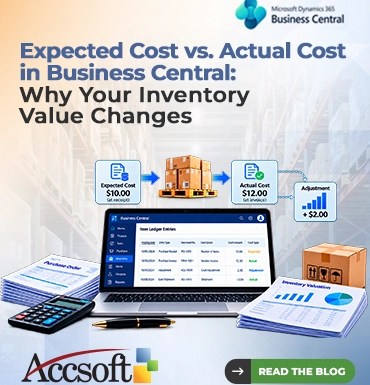
Expected Cost vs. Actual Cost in Business Central: Why Your Inventory Value Changes
If you are dealing with inventory management in Business Central, you may be familiar with one peculiar phenomenon the inventory valuation is changing, but no final invoice was posted yet. You get the goods, create the purchase order, and immediately notice that the inventory valuation is different from the previous one. The reason is simple, you should understand the difference between Expected Cost and Actual Cost in Business Central. This topic is important because you need to know about it to keep your accounting data correct and cash flow optimized. In addition, you need to learn what these costs mean and why your inventory value is changing. What is Expected Cost in Business Central? The Expected Cost in Business Central refers to the financial value of the inventory transactions until you receive the last invoice from the vendor or customer. In the case when you are receiving your inventory based on the purchase order or sending the inventory to your customers based on the sales order. You are making movements of the physical inventory. However, as long as the system does not receive an invoice. The system cannot understand the actual, legal value of that transaction. As a result, to have your operational quantity of the inventory correct, you can do the posting. When the option “Expected Cost Posting to G/L” is turned on in the Inventory Setup. The expected cost will post to a certain interim GL account (“Inventory Interim”). What is Actual Cost in Business Central? Actual Cost is the finalized and invoiced cost for a business inventory transaction. This involves the item cost and other direct costs including freight, insurance, and handling costs (Business Central handle these through “Item Charges”). When you eventually post the purchase or sales invoice. The value will go through the process of changing from the Expected Cost to the Actual Cost. The interim general ledger journal entries will be undone and the Actual Cost will post to the official Inventory valuation account. Reasons for Change in Your Inventory Value: The Adjustment Process But why is your inventory value changing suddenly? Well, the most common reason for this is the Adjust Cost – Item Entries batch job. When you post the receipt with the expected cost of $10.00 per unit and you receive an invoice with $12.00 per unit, the variance will be $2.00. Business Central manages this variance dynamically. The Initial Posting: You received the item. The initial cost expected is recorded at $10.00 in the interim G/L. The Invoice Posting: You post the invoice. The actual cost is now recorded at $12.00. The Adjustment: The Cost Adjustment routine of Business Central is automatically performed. It uses the difference of $2.00 to adjust the value of the inventory. Additionally, if item already sold before the actual vendor invoice posting. Business Central will also perform adjustments to your Cost of Goods Sold (COGS). It will adjust your inventory value and hence your profit margins to reflect the actual cost. Best Practices to Manage Cost Variances Follow these Business Central best practices to avoid any unpleasant surprises at month-end close: Activate Automatic Cost Posting: Access Inventory Setup and make sure to activate “Automatic Cost Posting”. By doing so, all cost posting will be done in G/L automatically and will save you from a large backlog of manual postings. Schedule Adjust Cost Job: Access Job Queue Entries and set up the “Adjust Cost – Item Entries” job to run automatically (for example, on a daily or weekly basis). This way you will keep your inventory valuations current without manual interference. Invoice Receives Quickly: The more time goes by from when your receipt was received in your warehouse until you receive the invoice for it. The more time your inventory is valued as “expected” instead of “actual.” That is why you should invoice promptly. Use Item Charges: Remember about transportation and handling costs. Make sure you use Item Charges on purchase receipts to ensure proper calculation of Actual Cost. Conclusion Transitioning from Expected Cost to Actual Cost in Business Central is not an error. Expected Cost and Actual Cost accounting feature in Business Central aligns finances with the physical world. Through comprehension of interim postings and use of cost adjustment jobs, you can dispel the confusion of inventory valuation and keep everything clear.