admin

7 Questions to Ask Before Choosing an ERP Vendor

7 Questions to Ask Before Choosing an ERP Vendor

Choosing the correct ERP (Enterprise Resource Planning) vendor is a make-or-break decision that can establish or destroy your company’s productivity, growth, and long-term success. With so many vendors providing different choices, pricing models, and support approaches, you can easily lose your way. To make an educated choice, you must move past demos and catalogs. Here are 7 definite questions to ask before deciding on an ERP vendor: 1. Is the ERP solution appropriate for my industry? Each industry has specific processes and regulations. Ask whether the ERP vendor supports your industry and if their solution includes industry-specific features. A manufacturing company may, for instance, need full-blown production planning, while a retail enterprise might demand inventory and POS integration. 2. How scalable is the solution? Your business will grow, and your ERP needs to grow with it. Determine if the ERP can be scaled to accommodate more users, new locations, or additional operations without a significant amount of redevelopment or expense. Scalability isn’t just a matter of supporting more users and locations, but also performance. can the system keep up with more data and transactions as you expand? Ask: “What do we do when we double our users or move into a new geography?” 3. What is the total cost of ownership (TCO)? ERP pricing can be deceptive. The initial price quote may not include implementation, customization, training, updates, support, and future upgrades. Be sure to ask for a full breakdown of all costs involved, not just licensing. Don’t forget to consider: Cloud vs. on-premises pricing, integration costs, and maintenance costs. 4. How flexible and customizable is the system? No two companies are the same. A good ERP should enable you to customize workflows, reports, user permissions, and integrations. Observe how easy (or hard) it is to make changes, and whether vendor support needs to be called in to make them or can be done in-house. Make Transparent: “How do customizations affect system upgrades?” 5. What is the implementation timeline and methodology? A realistic timeline estimation for completion is very important. 6. How do they implement? It is necessary to know the vendor’s implementation process. Request an honest schedule from your requirements. Is the vendor using a well-tested implementation methodology? Will they have a project manager, or an implementation team dedicated? Red flag: Vendors that are offering rapid go-lives without fully evaluating your business processes. 6. What training and support options are available? Post-implementation support can either make or break your ERP experience. Ask about the support channels (phone, email, portal), response times, and service level agreements (SLAs). And ask about user training options online, on-site, or self-paced. Bonus: Ask if the vendor has a knowledge base or user community forum. 7. How does the ERP integrate with existing systems? ERP stands alone. See how it will work with your current tools like CRM, eCommerce, accounting packages, or third-party logistics providers. In case you are using Microsoft software, for instance, integration with Office 365 or Power BI may be top priority. Final Thoughts Selecting an ERP vendor isn’t software procurement; it’s a multiple-year relationship. Asking these seven questions will make you better prepared to comprehend the capabilities, style, and fitness of the vendor to your firm. Be slow to rush in, engage your stakeholders, and compare at least a couple of vendors before settling. Your ERP system must allow growth, not suffocate it. Get the correct answers today so you will not be shocked tomorrow.
Continue Reading
Comparing Jet Reports and Power BI for Business Central Users: Which One is Right for You?

Comparing Jet Reports and Power BI for Business Central Users: Which One is Right for You?

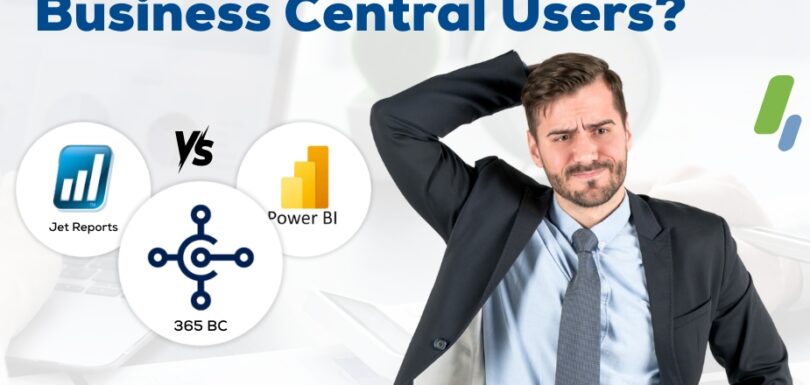
Microsoft Dynamics 365 Business Central (BC) is an enterprise resource planning (ERP) solution with strong data management capabilities, but for reporting and business intelligence (BI), users tend to turn to outside tools to extract, analyze, and report their data. Two of the most widely used tools among BC users are Power BI and Jet Reports. Although both are extremely capable, each has different functionalities and serves to meet different reporting requirements. In this blog, we’ll contrast Jet Reports and Power BI to assist you in determining which one is most appropriate for your reporting strategy in Business Central. What is Jet Reports? Jet Reports is an Excel reporting solution specifically designed for Microsoft Dynamics ERP systems, including Business Central. It enables users to produce financial and operational reports against real-time data in BC, right within Microsoft Excel. Key Features of Jet Reports: What is Power BI? Power BI is Microsoft’s cloud business analytics service that enables interactive visualizations and business analytics through business intelligence. Power BI integrates with Business Central and other sources to create dashboards and reports that provide business insights to departments. Key Features of Power BI: Side-by-Side Comparison: Jet Reports vs Power BI Feature/Area Jet Reports Power BI Target Users Finance, accounting, and operational staff Executives, analysts, management, and all departments Interface Excel-based Web and desktop (Power BI Desktop), browser & mobile Data Access Real-time connection to BC database Imported or live connection to BC and other sources Report Type Tabular, financial, static reports Interactive dashboards, visuals, and drilldowns Ease of Use Easy for Excel users Requires training for non-technical users Customization Limited visual customization Highly customizable visuals and charts Data Modeling Basic (Jet Analytics extends this) Advanced modeling and transformation capabilities Deployment On-premises or cloud Cloud-first with desktop authoring Licensing Subscription-based per user Freemium model with Pro & Premium tiers When to opt for Jet Reports Jet Reports are perfect if: When to Use Power BI Power BI is best if: Can You Use Both? Yes. Some organizations use Jet Reports for report writing and Power BI for analytical dashboards. Jet Reports addresses the requirements of finance users who require detailed, formatted reports, whereas Power BI addresses decision-makers who seek strategic insights through visuals and trends. Final Thoughts Jet Reports and Power BI both offer formidable capabilities for Business Central users. The best fitness will depend on the skill set of your team, what kind of reports you need, and how you will utilize your data. Often, integrating both solutions forms the complete reporting strategy that empowers every level of your business. Need assistance choosing or implementing the appropriate reporting tool for Business Central? Our experts can lead you to a solution that aligns with your business objectives.
Continue Reading
Mastering Posting Groups: How They Impact Your Financials

Mastering Posting Groups: How They Impact Your Financials

When using financial systems such as Microsoft Dynamics 365 Business Central, posting groups tend to be underestimated by new users and even seasoned consultants. However, these low-level configurations have a bearing on automating and regulating how transactions come into your General Ledger (G/L). In this blog, we will demystify posting groups and illustrate how gaining control of them can ensure correct financial reporting, simplify your processes, and align accounting logic with your company operations. What are Posting Groups? Posting groups are collections of rules that determine how transactions in sub-ledgers, such as customers, vendors, items, and resources, are posted to the proper G/L accounts. The mappings guarantee that financial transactions are recorded accurately and with the same consistency, without the need for users to be aware of accounting codes in day-to-day operations. There are three primary types in Business Central: Let’s take a closer look at each. 1. General Posting Groups These are: Together, these constitute a General Posting Setup that posts to key G/L accounts like sales revenue, purchase costs, VAT, and inventory adjustments. 2. Dedicated Posting Groups These groups post G/L accounts directly to a specific ledger type: 3. Inventory Posting Groups Inventory Posting Groups determine how items are posted for finance purposes and are used in combination with Inventory Posting Setup to determine: Why Posting Groups Matter Accurate Financial Reporting Posting groups guarantee your revenue, expenses, and balance sheet accounts get updated properly without needing manual input, maintaining consistency and auditability. Automation and Efficiency By associating operational data with accounting logic, posting groups minimize errors and prevent manual account selection for each transaction. Integrated Logic Posting groups are the nexus between operational data (e.g., customers and items) and financial data (G/L accounts). This integration enables dashboards, BI tools, and compliance reporting. Pitfalls to Avoid Best Practices for Posting Group Setup Final Thoughts Mastering posting groups isn’t just about system configurations about aligning operational behavior with accounting accuracy. Whether you’re launching a new Business Central environment or optimizing an existing one, taking the time to plan and maintain your posting groups pays dividends in reliable financial and smooth operations. Ready to own your posting financial logic? Begin by checking out your current posting configurations and making sure they accurately represent your company today, not necessarily as it appeared when you initially went live.
Continue Reading
Which ERP Handles Projects Better for Businesses?

Which ERP Handles Projects Better for Businesses?

In the context of today’s service business rush, project management isn’t a side business, it’s your business. You’re in a consulting business, an IT services business, a marketing business, or an engineering business; you require an ERP solution that not only keeps numbers in the ledger but gets you projects on target, on schedule, and budget. So, the question arises: What ERP best supports project-based workflows? Alright, let’s jump into the top features a service-based company requires in an ERP, and where to find the best. What makes a great ERP for project businesses? Here’s what you look for before we begin naming names: Project Planning & Budgeting Can you generate project quotes, assign resources, and monitor budgets? Time and Expense Tracking Is it simple for teams to capture time, log expenses, and tie them to a particular project? Resource Management Can you put the right people on the right work, and predict utilization? Billing & Revenue Recognition Can it handle milestone billing, time & materials invoice, and recognize revenue correctly? Integration with CRM & Financials Is it integrated from sales to delivery to accounting? Reporting & Dashboards Can you view project profitability, workload, and KPIs in real-time? Top ERP Solutions for Project-Based Businesses Let’s see how some of the top ERP solutions support service-based companies. 1. Microsoft Dynamics 365 Business Central (with Project Management module) Best For: Small to mid-sized businesses seeking Microsoft ecosystem integration. Strengths: Watch Out For: 2. NetSuite (Oracle) Best For: Large service firms with sophisticated project and fiscal requirements. Strengths: Watch Out For: 3. SAP Business by Design Best For: Midsize to large service firms with global operations. Strengths: Watch Out For: 4. Deltek ERP (Vision / Vantagepoint) Best For: Professional services companies, architecture, engineering, and consulting. Strengths: Watch Out For: 5. Odoo ERP (with Project and Timesheet modules) Best For: Technical-oriented teams and open-source seeking flexibility startups. Strengths: Watch Out For: The Verdict: Which One’s Best? There isn’t a one-size-fits-all answer. But here’s a not-so-complex cheat sheet: ERP Best For Key Differentiator Business Central SMBs on the Microsoft stack Tight Microsoft integration NetSuite Smaller, growing service businesses Powerful PSA and accounting SAP Midsize/larger global enterprises Enterprise-level project management Deltek AEC and consulting Industry-specific functionality Odoo Small/startup organizations Modular and affordable Final Thoughts Selecting the correct ERP for your company is more than a matter of features, it’s about compatibility. Consider your business model, project complexity, team size, and growth aspirations.
Continue Reading
Evaluating the Necessity of an ERP Upgrade: Essential Factors for Businesses

Evaluating the Necessity of an ERP Upgrade: Essential Factors for Businesses

Enterprise Resource Planning (ERP) systems provide the framework of modern-day business processes, as they automate activities to render them streamlined. As business requirements and technology keep changing, though, an ERP system that would suit an organization at a particular point in time could turn outdated or unsuitable. ERP system upgrading is an enormous undertaking requiring full contemplation. In this blog, we outline some of the most important considerations if your business must replace its ERP system. 1. Performance and System Efficiency Issues Slowing down performance is one of the first symptoms that your ERP system requires an injection. If your ERP software is as slow as a snail, hangs constantly, or is unable to cope with rising workload demands, then it is time to upgrade. Ineffective systems will cause slowdowns, frustrating employees, and lost productivity. 2. Lack of Modern Functions and Features ERP vendors release their software periodically with new functionality, enhanced interfaces, and greater potential for automation. Upgrading, if your current system lacks future required capabilities such as cloud integration, artificial intelligence, or advanced analysis, can make an absolute gigantic competitive advantage for your enterprise. 3. Scalability Problems As your business grows, so should your ERP system. If your ERP system no longer can handle more users, higher volumes of transactions, or more geographies, it might be time to upgrade to a scalable solution. 4. Integration of Issues with Other Systems Your modern business relies on a wide range of software products, including Customer Relationship Management (CRM), e-commerce, and supply chain management. Your ERP system alone without integrating with other critical applications can lead to data silos, inefficiencies, and workarounds. 5. Security and Compliance Risks Compliance is a persistent thorn in the side of organizations. Without current security features or compliance requirements (e.g., GDPR, HIPAA, or regulatory compliance obligations in your market) on your ERP system, your organization may be at risk. Moving to the most recent version of ERP can make security features and compliance strong. 6. High Maintenance and Support Expenses Old ERP systems are IT-intensive, costly to maintain, and always require troubleshooting. If your business is spending too much time and money on keeping an old system running, an upgrade can lower long-term operating costs and boost efficiency. 7. User Experience and Employee Productivity A less intuitive, older, bulkier ERP interface may frustrate and decrease productivity. If employees are unable to easily use the system and make errors and inefficiencies, then perhaps it is time to re-engineer the interface to make it more intuitive and straightforward. 8. Alignment with Business Strategy Your ERP system should be capable of supporting your long-term business strategies. If your business is towards digitalization, remote work, or data-driven decision-making, an old ERP system can prove to be a bottleneck. Installing a new-age ERP can facilitate these strategic endeavors. Conclusion Assessing the necessity of an ERP upgrade involves careful monitoring of system performance, functionality, integration, security, and goal alignment. If your existing ERP system indicates multiple indicators of inefficiency, scalability problems, or security threats, it may be worth investing in a new upgrade. By acting proactively in evaluating your ERP requirements, your company can remain competitive, improve operational efficiency, and achieve long-term success. Thinking about taking the next step to ERP? Speak with an ERP specialist about the most effective course of action for your company.
Continue Reading
How Microsoft Dynamics Business Central Simplifies Financial Management

How Microsoft Dynamics Business Central Simplifies Financial Management

Effective financial management is the essence of a successful business. However, most companies have poor financial processes, manual accounting, and limited real-time visibility into finances. Microsoft Dynamics 365 Business Central is a full-cycle ERP solution that streamlines financial management as a process and offers businesses control, accuracy, and transparency. Best Practices Business Central Makes Financial Management Easy 1. Automated Financial Processes Business Central integrates routine finance chores like invoices, accounts receivable/payable, and banking reconciliations. It erases manual disparity, accelerates financial processes, and provides superior financial reporting. 2. Real-Time Financial Insights Entities at Business Central get real-time dashboards as well as reports. They are based on live cash flow, profitability, as well as finances and help the decision-makers decide in time based on good intelligence. 3. Seamless Integration with Other Systems Business Central is natively supported by Microsoft 365, Power BI, and other third-party solutions. The integration provides real-time updated financial details across different sections of the business, eliminating data silos and streamlining collaboration. 4. Multi-Currency Global Financial Management Business Central facilitates global financial management for businesses with operations across the world in simple multi-currency transactions, exchange rate management, and compliance. The application is supported by various languages and tax regimes to enable ease of management of finances worldwide. 5. Compliance and Security Business Central enables financial compliance by way of intrinsic tax management, audit trails, and security. Role-based access protects sensitive financial data while providing visibility into financial activity. 6. Scalability for Scaling Businesses As companies expand and consolidate, these companies will require more sophisticated finance needs. Business Central scales with the business, and companies can take advantage of the feature to add new capabilities, users, and financial processes without affecting business operations. 7. Improved Cash Flow Management The inclusion of complete financial projections and timely disclosure of outstanding payables and receivables gives companies better control of cash flows. Automated reminders and collections make late payments negligible and provide fiscal security. 8. Highly Customizable and Flexible Financial Reports Businesses can develop customized financial reports according to their business needs. Balance sheet, income statement, or budget vs. actual – Business Central has dynamic reporting capabilities to enable improved planning and analysis of finances. Conclusion Microsoft Dynamics 365 Business Central streamlines financial management offers improved visibility and assists with compliance. Business Central gives you the tools you require to manage your finances, achieve maximum efficiency, and make informed strategic decisions as a small or expanding business. If you’re looking for a financial management solution that just works with the way you work today, then Business Central is a great fit for you.
Continue Reading